

Auto-Publish on New Post
Every time you publish a new WordPress post, it is automatically shared to all your connected social media accounts — zero extra steps.
Custom Template Design Engine
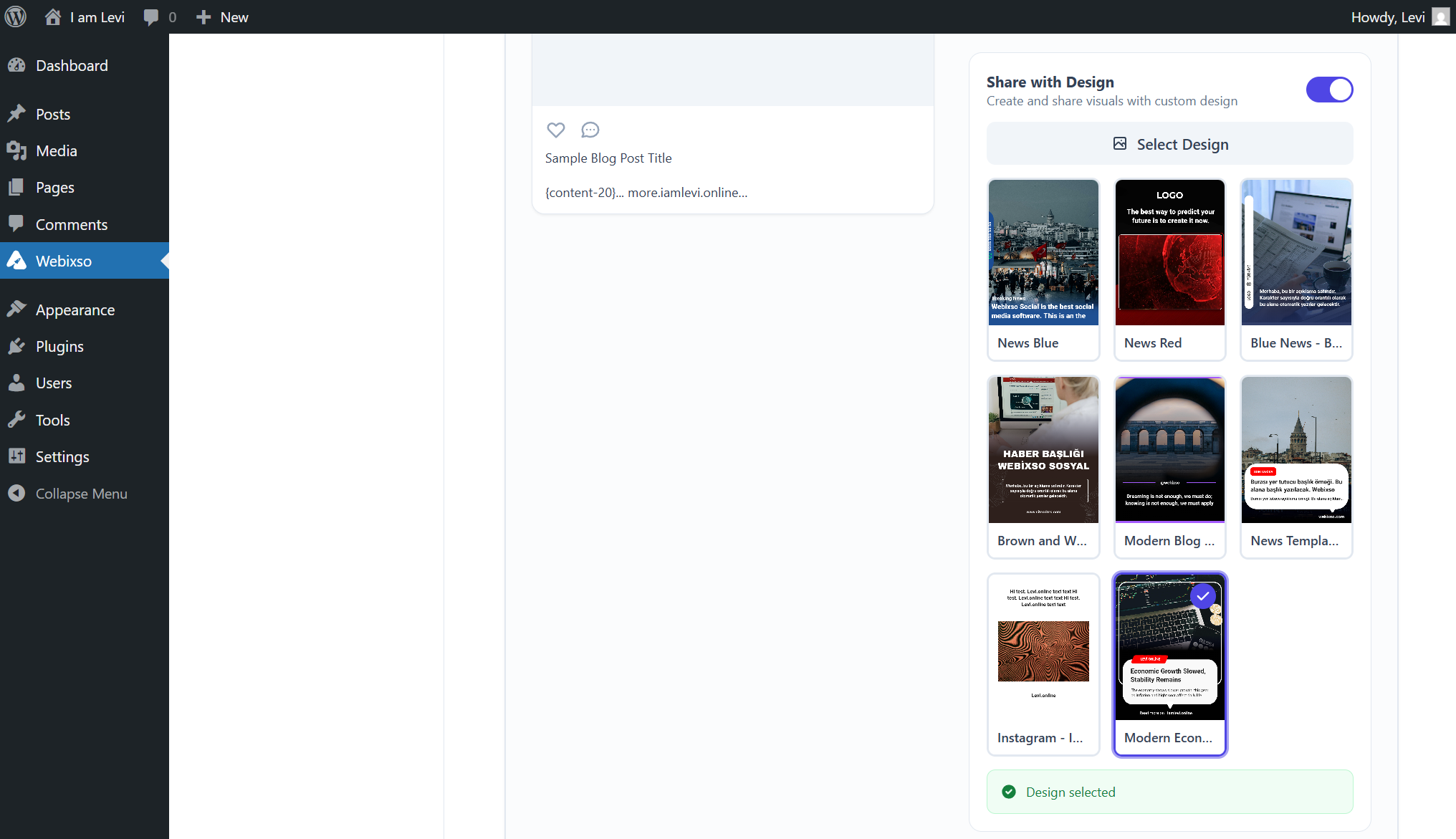
Design your social media visuals in the Webixso editor, then assign your template from the Webixso WordPress plugin's account settings — every new post is automatically prepared with that design and shared to your accounts.

14 Social Media Platforms
Facebook, Instagram, Threads, LinkedIn, YouTube, Pinterest, Reddit, X, Bluesky, TikTok, Tumblr, Google Business, Telegram and Mastodon — all managed from one plugin.
Per-Account Template Assignment
Assign different design templates to each connected social account so every platform gets the visual style it deserves.
Per-Account Custom Text
Set up the description for your automatic posts using placeholders for each account — your content is filled in dynamically and shared without lifting a finger.
Ready-Made Templates
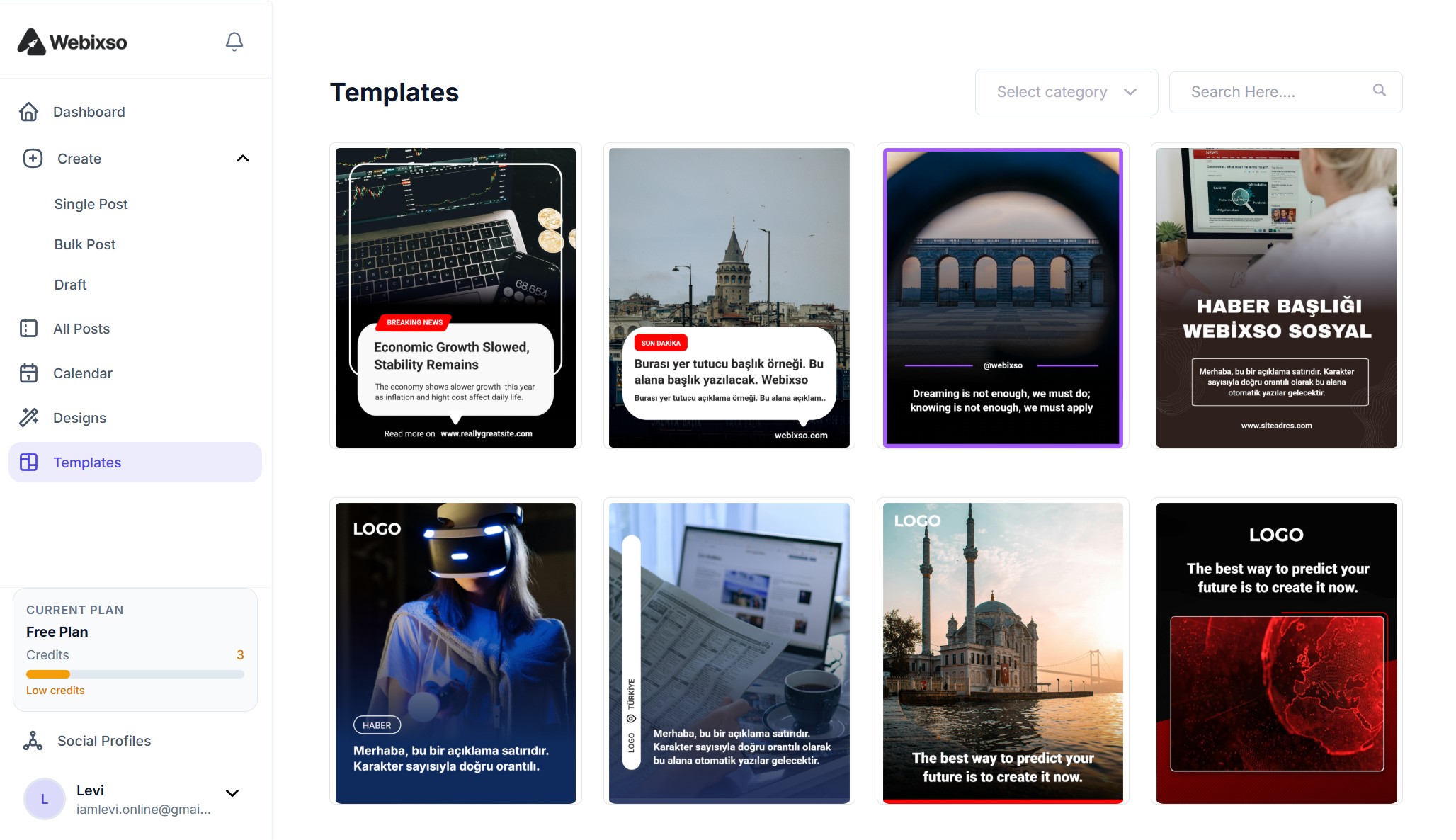
Choose from a growing library of professionally designed post templates — just pick one and publish. No design skills needed.
Category & Tag Based Auto-Share
Set up rules to automatically share posts based on their category or tag — different categories can go to different accounts and templates.
Won't Slow Down Your WordPress Site
Many plugins burden your hosting with image crunching, background jobs, and outbound API traffic. Webixso doesn’t: rendering, resizing, scheduling, and posting all run on Webixso’s infrastructure. Your site only sends a lightweight signal when you publish — so visitor-facing speed and server resources stay virtually untouched.
Compare workflows
Manual hustle vs. automated publishing
The work doesn't change — but where it happens, and how many hours it eats, does.
The old way
Manual sharing & design
- A separate visual for every story
- Canva, Photoshop, and manual uploads
- Fourteen platforms — fourteen one-by-one posting flows
With Webixso
Same stories, fraction of the time
- Fully automated publishing straight from WordPress
- Professional templates — near–zero routine design time
- Every connected network: on publish automatically, or one consolidated action
- Roughly 85–92% less time on social busywork
By the numbers
Outcomes teams see with WordPress + Webixso
When every post can flow straight to social, you spend less time copying links and resizing creatives — and more time on content. Illustrative benchmarks from aggregated user reporting; your results will depend on your audience and posting volume.
Weekly time saved
Average traffic lift
Share frequency increase
Design time
Up and Running in Three Steps
No complicated setup — install, connect, and start publishing. Full installation docs cover dashboard install, WordPress.org download, FTP, connecting your site, and account settings.
Install the Plugin
Download the Webixso plugin from the WordPress Plugin Directory or upload it manually. Activate with one click.
Connect Your Account
Log in to your Webixso account and authorize your WordPress site. Your social profiles sync instantly.
Publish & Share
Add your accounts, write your post and hit publish — the plugin handles the rest and shares it across all your connected platforms.
Ready to Automate Your WordPress Publishing?
Join thousands of bloggers and businesses who save hours every week by connecting WordPress to their social media with Webixso.
FAQsFrequently asked questions
Yes. The plugin is free. You need an active Webixso account (free or paid) to connect social profiles.
WordPress 5.8+ and PHP 7.4+. Works with Classic Editor and Block Editor (Gutenberg).
Yes. Use the post editor sidebar to write unique captions, add hashtags, and choose media per connected network.
As many as you need — Webixso does not cap connected profiles. Add every channel your site publishes to.
Yes. Turn off auto-share and manually publish only the posts you choose from the WordPress editor.
No. Rendering, scheduling, and posting run on Webixso infrastructure. Your site only sends a lightweight signal on publish.
Not yet — WooCommerce support is in active development and coming soon.
Manage accounts from the Webixso dashboard or WordPress → Webixso → Connected Accounts in the plugin settings.